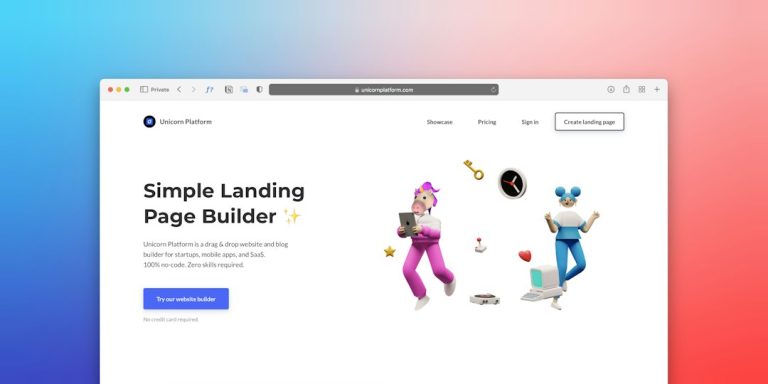


Having a website for your company is essential in today’s digital world. It not only increases your business’s visibility, it also serves as a platform to attract customers, sell products, and establish a professional presence online. In this post, we give you a complete guide to creating a website for your company, from planning to launch.
1. Define your website’s goals
Before you start, it is important to define your website’s goals. Ask yourself what you want to achieve: attract new customers, sell products online, share information about your business, or build a community? Having clear goals will help you make the right design and content decisions.
- Examples of goals: Generate leads, increase sales, create an online store, educate potential customers.
2. Choose a domain name
Your domain name is your website’s address and should be easy to remember, relevant to your business, and preferably include your brand name. You can buy your domain from providers such as GoDaddy, Namecheap, or Google Domains.
- Tip: Try to choose a short domain that is easy to type, preferably with a popular extension such as .com or .net.
3. Select a hosting provider
Hosting is the service that makes your site available on the internet. There are different types of hosting (shared, VPS, dedicated) and providers, each with different features and prices. Some popular options are Bluehost, SiteGround, and HostGator.
- Tip: For a new site, choose shared hosting or WordPress-optimized hosting if you are using that platform.
4. Pick a website-building platform
There are several platforms for building websites, each with its own advantages. Some of the most popular include:
- WordPress: Offers flexibility and customization with a wide variety of plugins and themes.
- Wix and Squarespace: More intuitive, visual options, ideal for entrepreneurs without technical knowledge.
- Shopify: Perfect for online stores, since it makes creating and managing ecommerce easier.
- Tip: If you are planning a website with many features and customization, WordPress is a good option; for an online store, Shopify is ideal.
5. Design the site structure and navigation
The site structure should be intuitive to make navigation easy for users. Define the main pages you need, such as Home, About Us, Services or Products, Blog, and Contact. Organize the sections logically so visitors can easily find what they are looking for.
- Tip: Use a simple, clear navigation menu, and avoid overloading the home page with too much information.
6. Create valuable content
Your website’s content is key to capturing and holding visitors’ attention. Make sure each page has clear, relevant content that explains who you are, what you offer, and why customers should choose you.
- Tip: Include relevant keywords to optimize SEO and make sure the tone and style of the content match your brand’s personality.
7. Design an attractive, professional site
Design is the first impression a user will have of your company, so it is important that it is attractive and professional. Use a color palette that reflects your brand, select readable typefaces, and add high-quality images that represent your business well.
- Tip: If you do not have design experience, consider using a template or hiring a professional designer.
8. Optimize for mobile
Most users browse the internet from their mobile devices, so it is crucial that your site is optimized for them. Make sure the design is responsive (that it adapts to different screen sizes) and that all features are accessible from mobile.
- Tip: Check at several resolutions and on several devices to make sure the site looks and works well on all of them.
9. Integrate analytics and SEO tools
Analytics tools will help you measure your site’s performance and optimize it. Set up Google Analytics to track traffic, conversion rate, and other key data. Also optimize the site’s SEO to improve its visibility in search engines.
- Tip: Install Google Search Console and optimize meta tags, keywords, and content to improve your SEO ranking.
10. Test and launch your site
Before launching the site, run thorough tests to catch possible errors. Check links, verify loading speed, test the features, and make sure everything works correctly.
- Tip: Ask friends or colleagues to browse the site and give you their feedback to identify areas for improvement.
11. How can Aiden Technologies help you create your website?
At Aiden Technologies, we specialize in designing and developing professional websites for businesses of all sizes. We offer customized services that include:
- Website design and development: We create attractive, functional sites optimized to capture visitors’ attention.
- SEO and performance optimization: We make sure your site is optimized for search engines and loads quickly.
- Ongoing support and maintenance: We offer website maintenance so your site is always up to date and secure.
With our support, you can launch a website that drives your business’s growth and delivers a positive experience to your customers.
Conclusion
Creating a website for your company is a process that requires planning and attention to detail, but it is a fundamental investment for any business in today’s digital world. With this guide and the support of Aiden Technologies, you can launch a professional website that reflects your brand’s identity and helps you reach your business goals. Take the first step toward a professional online presence and start attracting your customers today!